Same maths
Fleet view and drill-down reconcile
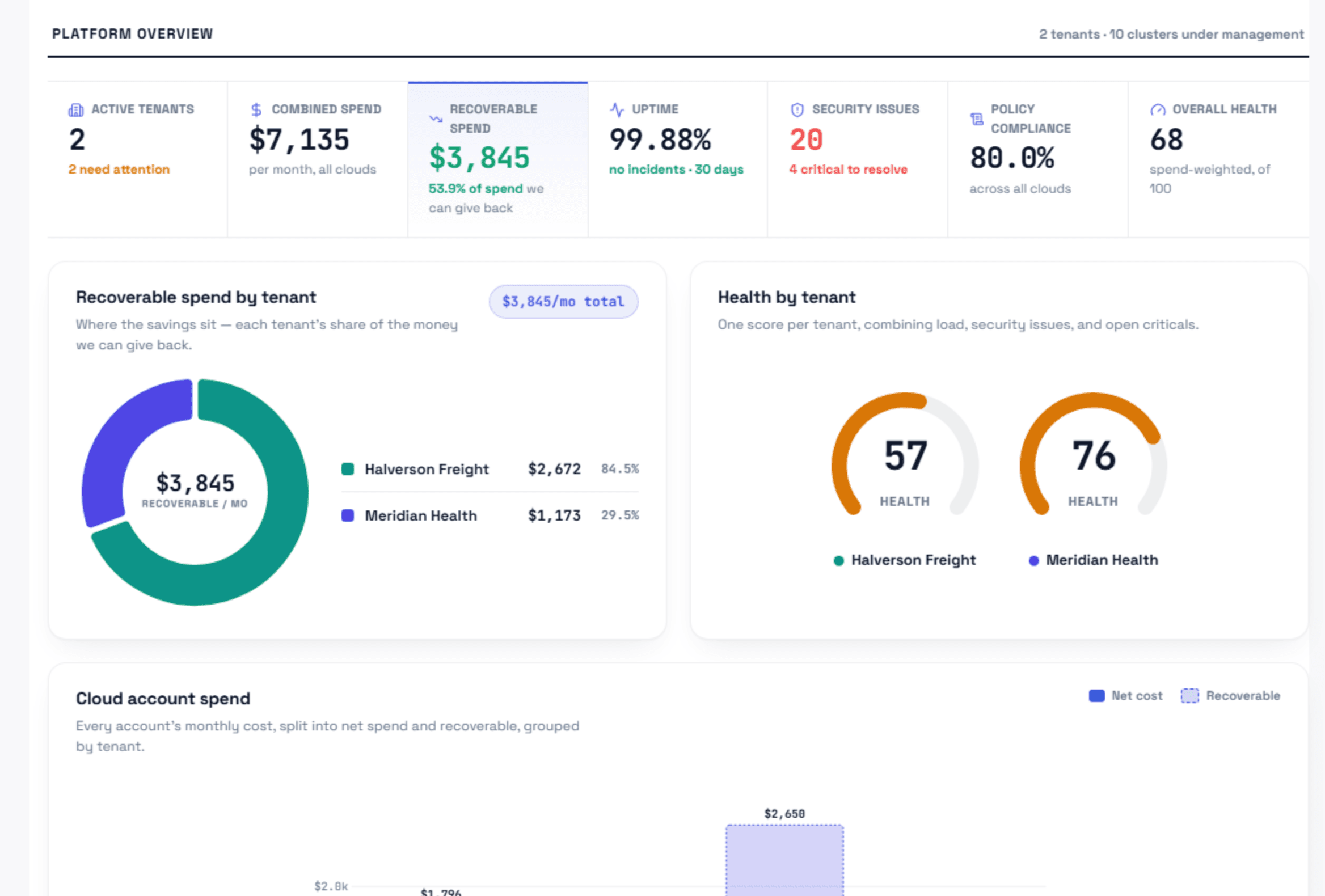
The platform overview and each tenant dashboard compute health from the same formula, so a number never changes meaning depending on which screen you are looking at.
White-label & multi-tenant
Managed service providers and platform teams need one console that shows every customer at once, and a per-customer view that reveals nothing about the others. Both come standard, fully white-labeled.
The platform overview and each tenant dashboard compute health from the same formula, so a number never changes meaning depending on which screen you are looking at.
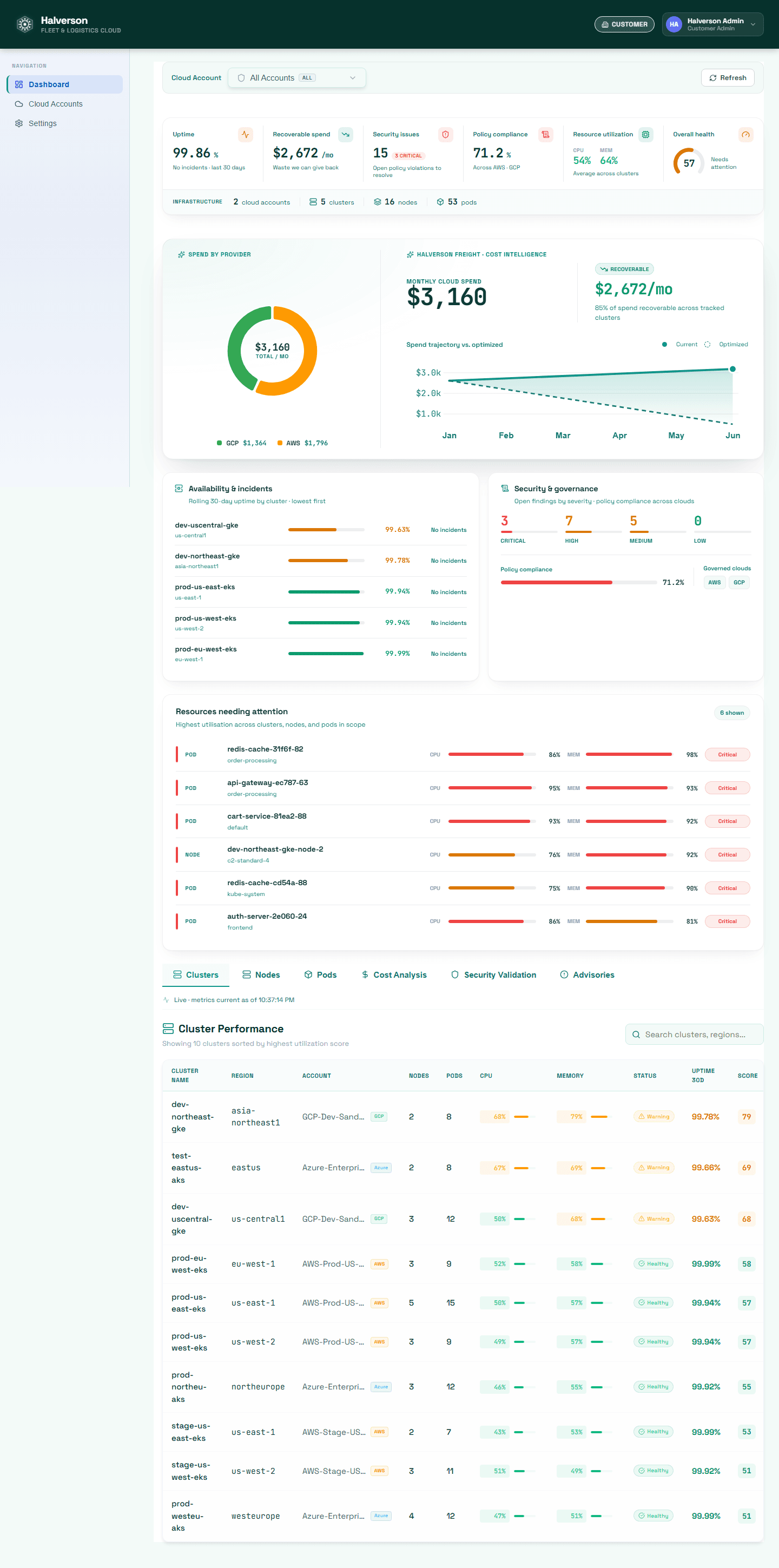
A customer admin sees only their own accounts. The tenant filter is enforced on the data, not hidden in the interface.
Brand name, logo, tagline, and palette are per-tenant. Resell it as your own product; the charts recolour with the theme.
Above the line you see every tenant at once. Below it, a customer sees only themselves — under their own brand, with the charts recoloured to their palette. Both are computing health from the same formula.
White-labeling that stops at the logo leaves your customer looking at someone else’s product. These four are configured per tenant.
Per tenant, not per deployment. One installation serves every customer under its own identity.
The palette is tokenised, so a tenant theme recolours the visualisations rather than leaving a branded header above someone else’s product.
A customer admin sees only their own accounts. The tenant filter lives in the query layer, not in the interface — hiding a row in the UI is not isolation.
The platform overview and each tenant dashboard compute health from the same formula, so a number never changes meaning depending on which screen it is read from.
Not from the product surface. Brand name, mark, tagline, and palette are per-tenant configuration, and the charts follow the theme.
No. Scoping is applied to the data access itself rather than to the rendering, so there is no view that returns another tenant’s rows for the interface to then hide.
Yes, on the partner arrangement — for providers whose own customers require the data to stay inside their infrastructure.
Start here
The sandbox runs on demo data, so you can look before you connect anything. When you are ready, access is read-only and nothing changes without your approval.
Built by Anto and Edwin · Jacav